I Built a Custom Minecraft Server Panel: The Free Ones Weren't Enough
My family wanted to play Minecraft together. Simple enough, right? Rent a server, share the IP, done.
But every hosting panel I looked at was either ugly, limited, or wanted $15/month for features I could build myself. I wanted something that looked clean, let me manage everything from my phone, and didn’t treat me like I needed a computer science degree to change the difficulty from Hard to Normal.
So I built my own. In one session. With Claude Code.
What I Built
A full web-based management panel for a Minecraft server, like the dashboard you’d get from a hosting company, but custom and actually good-looking.
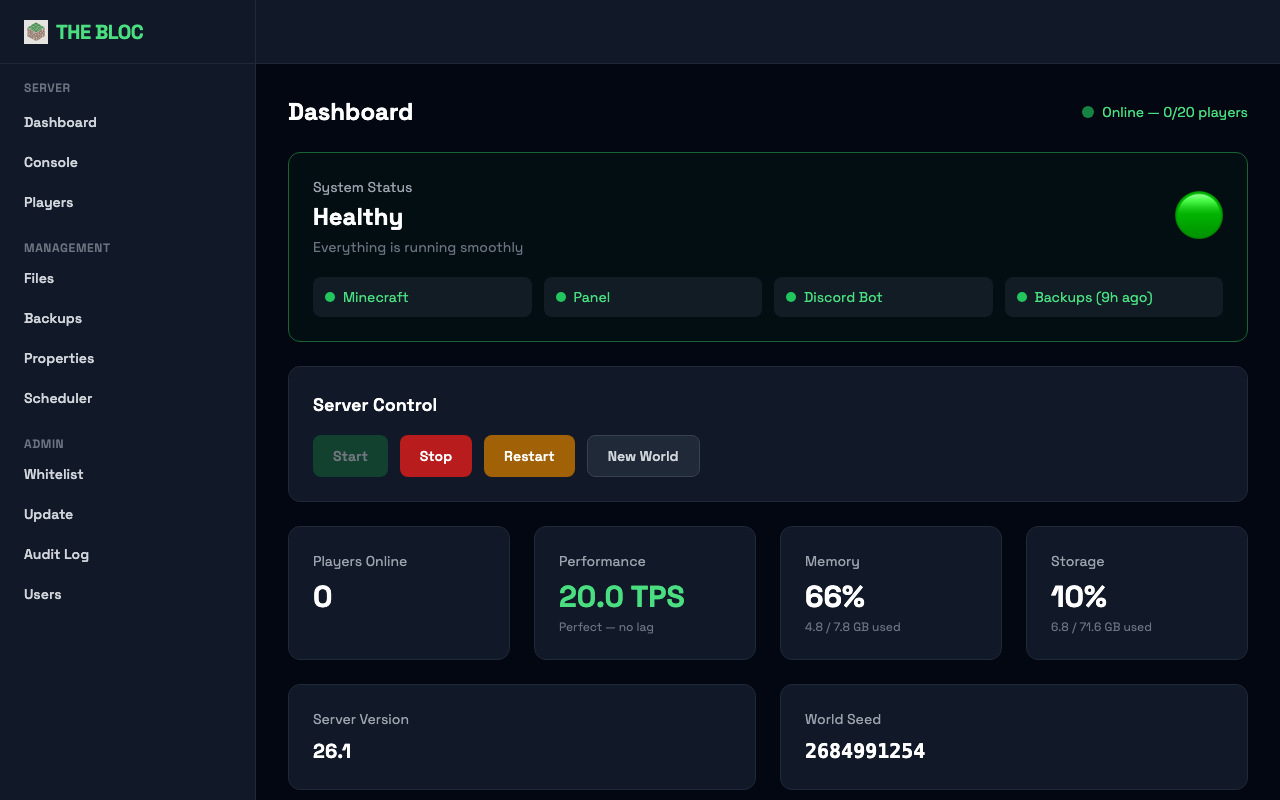
The dashboard shows everything at a glance: service health, TPS, memory, storage, player count, and one-click server controls (start, stop, restart, new world). Below that, a live event feed shows what’s happening on the server.
Beyond the dashboard, the panel has a live console, file manager, server properties editor, backup system, task scheduler, whitelist manager, server updater, audit log, and role-based user accounts. Plus a Discord bot for whitelist requests and a chat bridge between Discord and in-game.
How I Built It
I started with a budget VPS: 4 CPU cores, 8GB RAM for about $7/month. Claude Code set up Minecraft over SSH, then built the panel in phases.
Console and File Manager
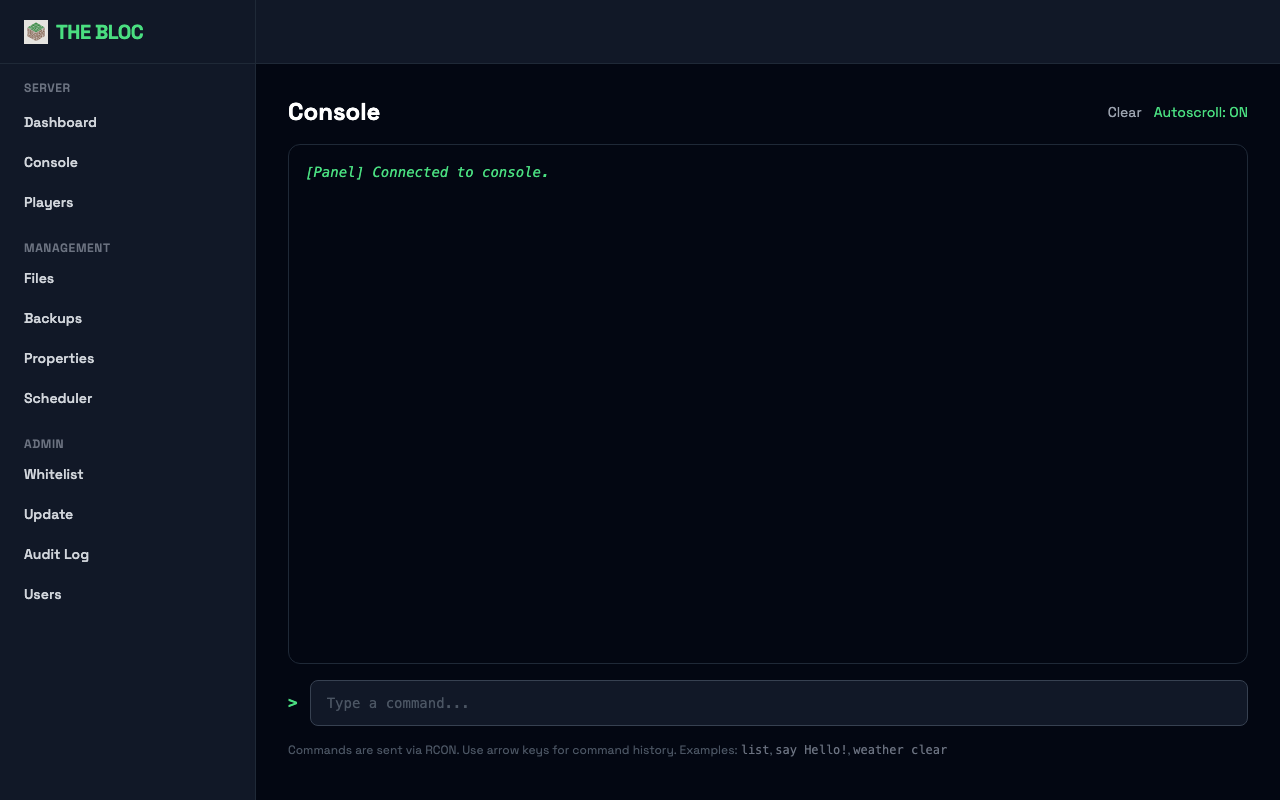
The live console streams the server log in real time with a command input that sends commands via RCON. No more SSH-ing in just to check if someone joined.
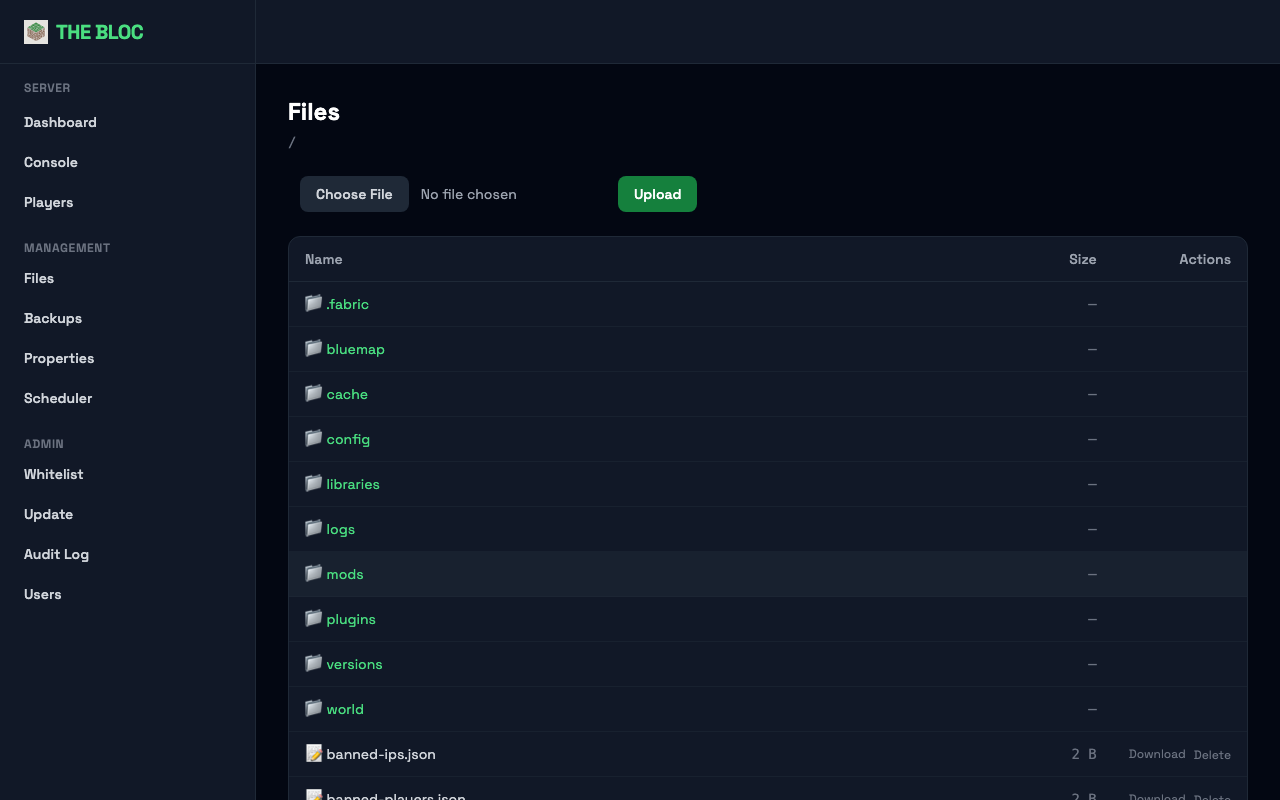
The file manager lets you browse, edit, upload, and download server files through the browser. This was the most security-sensitive part: Claude Code wrote 17 path traversal tests before building the feature.
Properties Editor
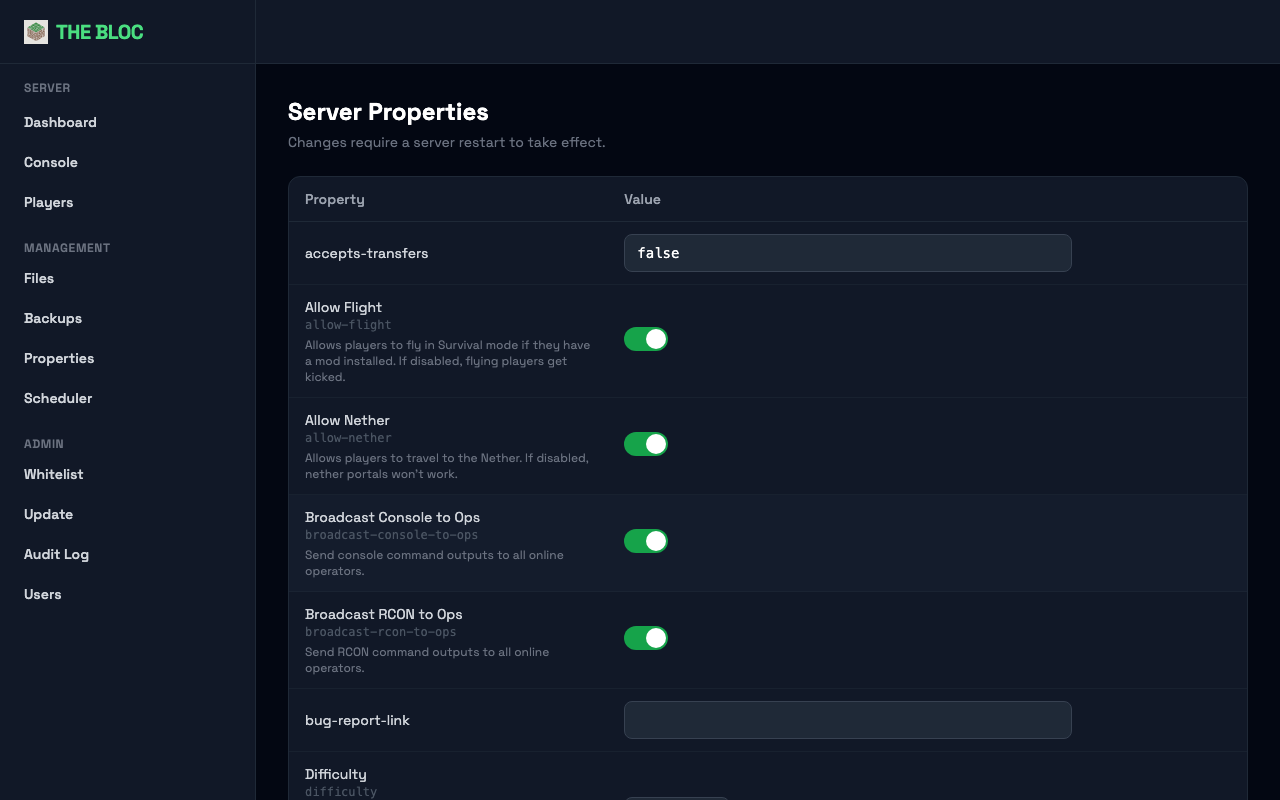
Minecraft servers have a config file where every setting is a line like difficulty=normal. To change anything, you’d normally SSH in, find the right line, change it, and restart. The panel turns that into a form with toggles, dropdowns, and validated fields.
Backups and Scheduling
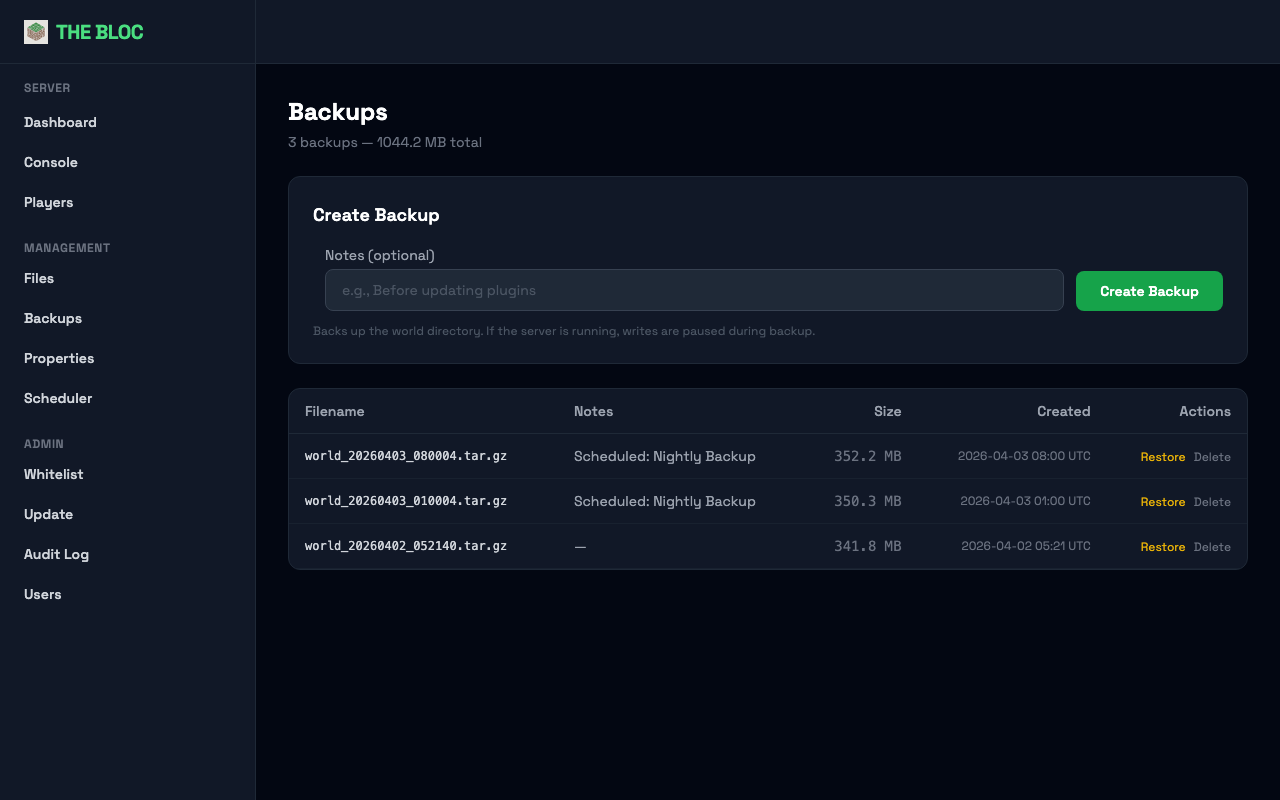
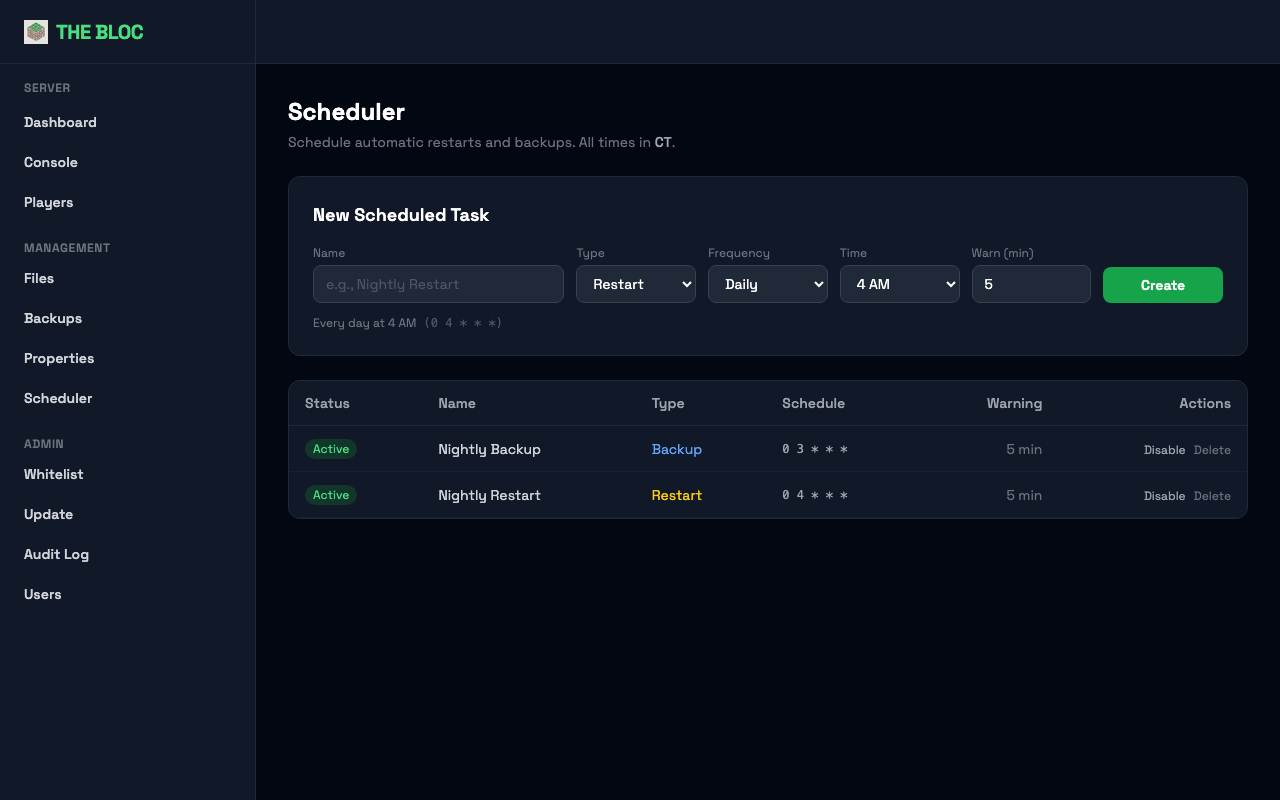
One-click backups that pause server writes and compress the world folder. The scheduler handles recurring backups and restarts with player warnings (“Server restarting in 5 minutes!”).
Security
The server is on the public internet, so it’s locked down: firewall with only four ports open, SSH restricted to one IP with key-only auth, DDoS protection hiding the real server IP, rate-limited login, file upload restrictions, and role-based access so family members can’t accidentally break anything.
Within minutes of the server going online, automated bots were already trying to brute-force SSH. Good thing the security was already in place.
Discord Bot
A Discord bot handles whitelist requests: someone types !whitelist TheirUsername, an admin approves or denies, and it’s automatically applied. A separate chat bridge mod connects Discord and in-game chat.
What It Cost
| Item | Monthly Cost |
|---|---|
| VPS server | $7 |
| Domain via Spaceship | ~$0.42 |
| SSL certificate | Free |
| DDoS protection | Free |
| Claude Code | Part of existing subscription |
| Total | ~$7.42/month |
What I Learned
- Free cloud tiers sound great until you can’t get an instance. Oracle’s free ARM servers are good, but capacity is a real problem. Have a backup plan.
- Test the dangerous stuff first. Writing path traversal tests before building the file manager caught edge cases I wouldn’t have thought of: symlink escapes, null bytes, URL-encoded dots.
- WebSockets make dashboards feel alive. The difference between a page that refreshes every 30 seconds and one that updates live is huge.
What’s Next
- World map: already added! BlueMap renders a 3D map of the Minecraft world, accessible through the panel
- Health monitoring: automated Telegram alerts when the server goes down, memory spikes, or players are getting kicked
- Player stats: playtime, deaths, blocks mined from Minecraft’s built-in stats
Tools I Used
- Claude Code: built the entire panel, server setup, security hardening, and Discord bot
- Python / Flask: web framework
- Tailwind CSS: styling
- Socket.IO: real-time updates
- Caddy: web server with automatic HTTPS
- Fabric: Minecraft mod loader
- discord.py: Discord bot
- TCPShield: DDoS protection
- Spaceship: domain registrar
Some links on this page are affiliate links. I only recommend tools I actually use.