I Built a Video Jukebox for My BBQ With Zero Code Experience
I was planning a BBQ for my family and realized I needed music, but I didn’t want to be the DJ all night, and I definitely didn’t want to pass my phone around. So I built a video jukebox.
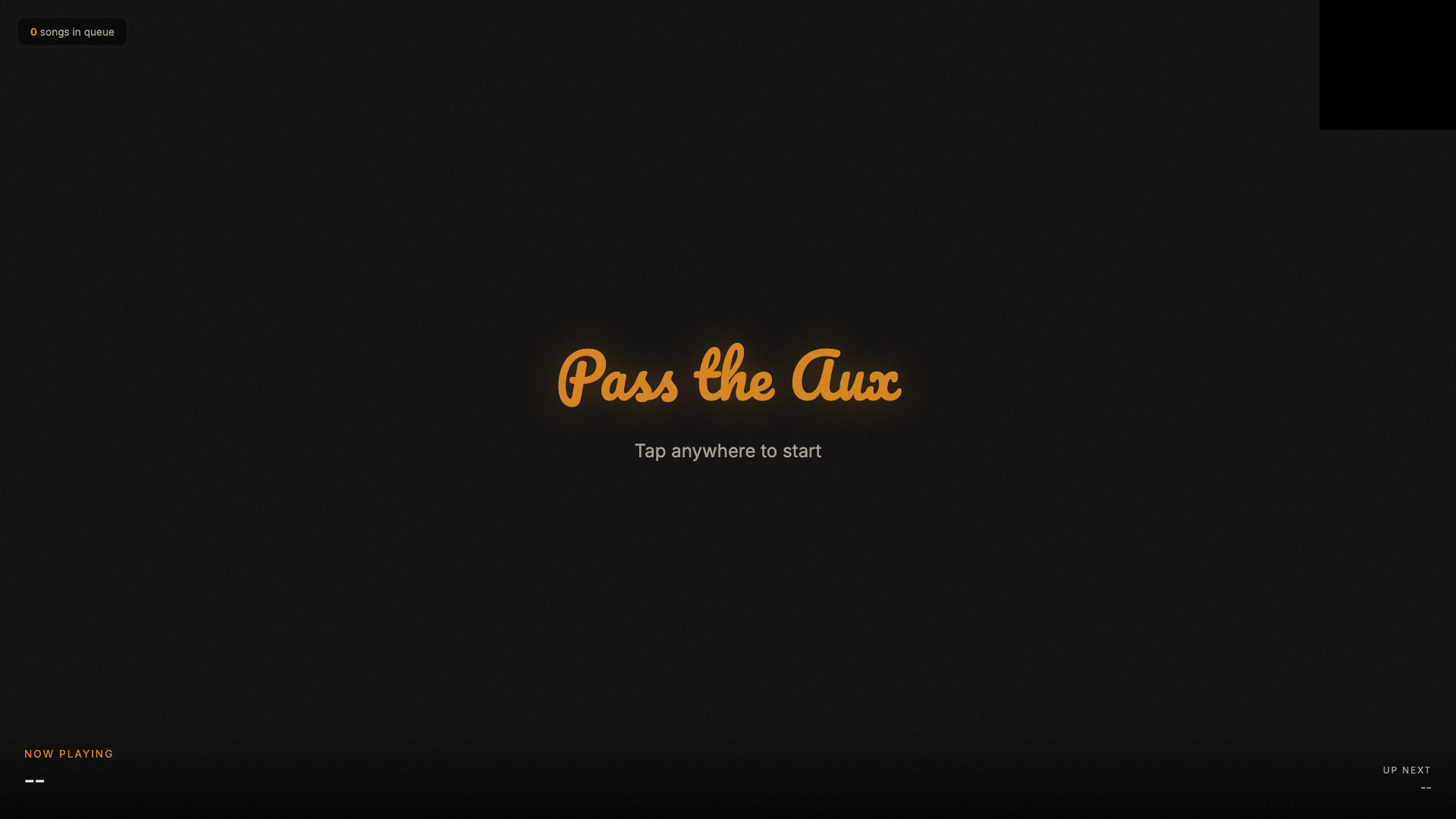
It’s called Pass the Aux. Guests scan a QR code on the TV, search for a song, and it plays as a music video on the big screen. I built the whole thing in one sitting with Claude Code, and it cost $0.
The Idea
Pretty straightforward:
- Guests pick songs from their phones
- Music videos play fullscreen on the TV (through a Fire Stick)
- A fallback playlist keeps playing when nobody’s picking songs
That was the plan. But as I kept going, it turned into way more: karaoke mode, host controls, and some Easter eggs to mess with people.
What I Built
Pass the Aux has two pages:
- The guest page. Mobile-friendly. Search for songs, tap to add them to the queue.
- The TV page. Fullscreen video player running on the Fire Stick’s built-in browser.
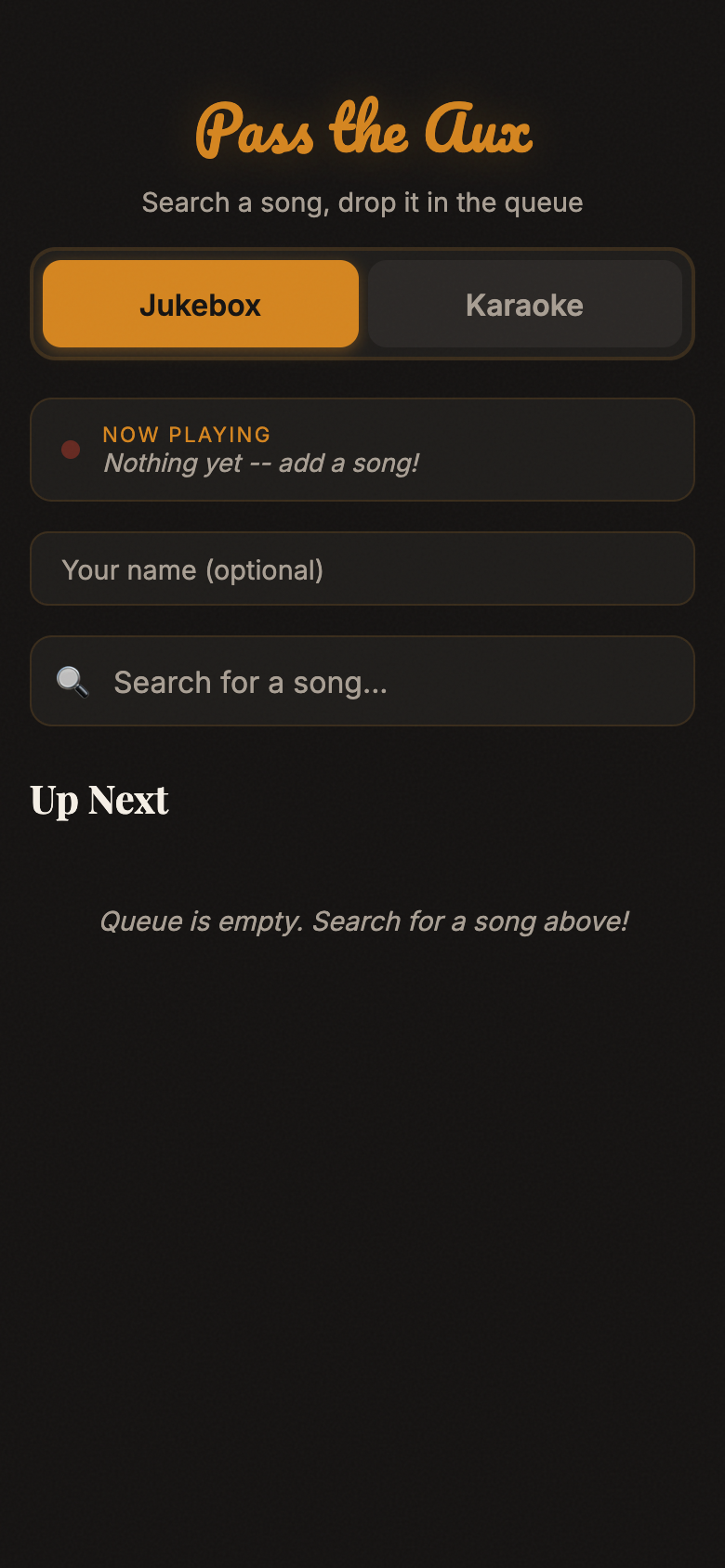
A QR code stays visible in the corner of the TV at all times. Guests scan it, find a song, and tap ”+”. The TV plays through the queue automatically, and when it runs out of songs, a fallback playlist kicks in so there’s never silence.
How It Works (The Short Version)
Two pieces:
- A website. Just basic HTML and CSS. No app to download, no accounts to create. Hosted on Spaceship web hosting I already had.
- A small cloud service. This is a Cloudflare Worker, which is basically a tiny program that runs on the internet. It handles searching YouTube for songs and keeping track of the queue. Think of it like a middleman between the guest’s phone and the TV.
I didn’t write any of this. I described what I wanted and Claude Code built it.
The Fun Features
Jukebox + Karaoke
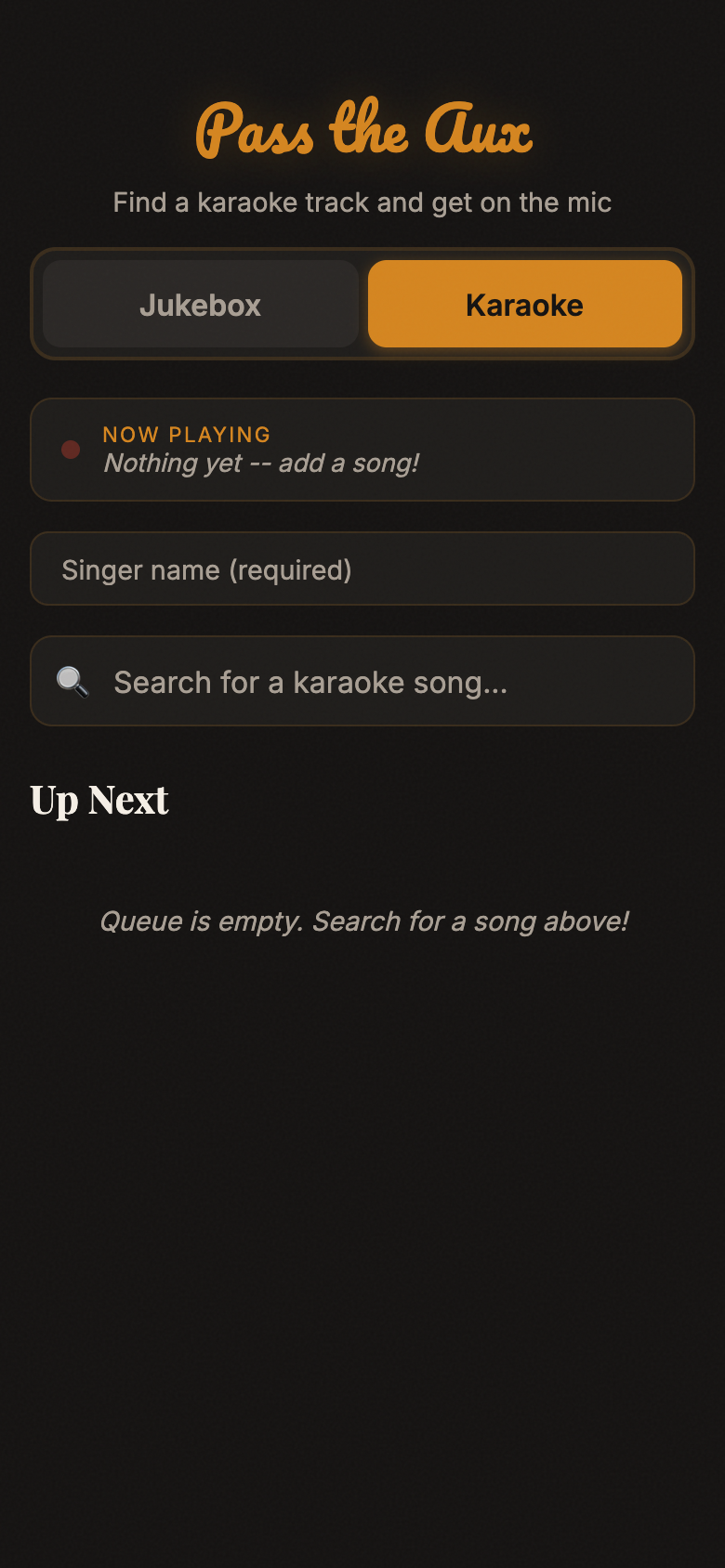
Started with just a jukebox, but then I thought karaoke would be fun. There’s a toggle at the top of the guest page to switch modes. In karaoke mode, the search automatically finds karaoke versions (the kind with lyrics on screen). You enter your name, and before your song plays, the TV shows a big splash screen (your name in cursive) for 15 seconds so you can grab the mic.
The Despacito Easter Egg
I thought it’d be funny to block Despacito as an Easter egg. So naturally, I had to go all in.
As you type “d-e-s-p-a-c-i-t-o” in the search box, warnings start popping up letter by letter:
- “despa”: “Don’t even think about it…”
- “despac”: “I see where this is going…”
- “despaci”: “You sure about that?”
- “despacit”: “The aux is watching…”
When the results finally load, they’re completely grayed out. No add button. And a random roast appears at the top, picked from a pool of 10 messages in English and Spanish. Every time you search it, you get a different one.
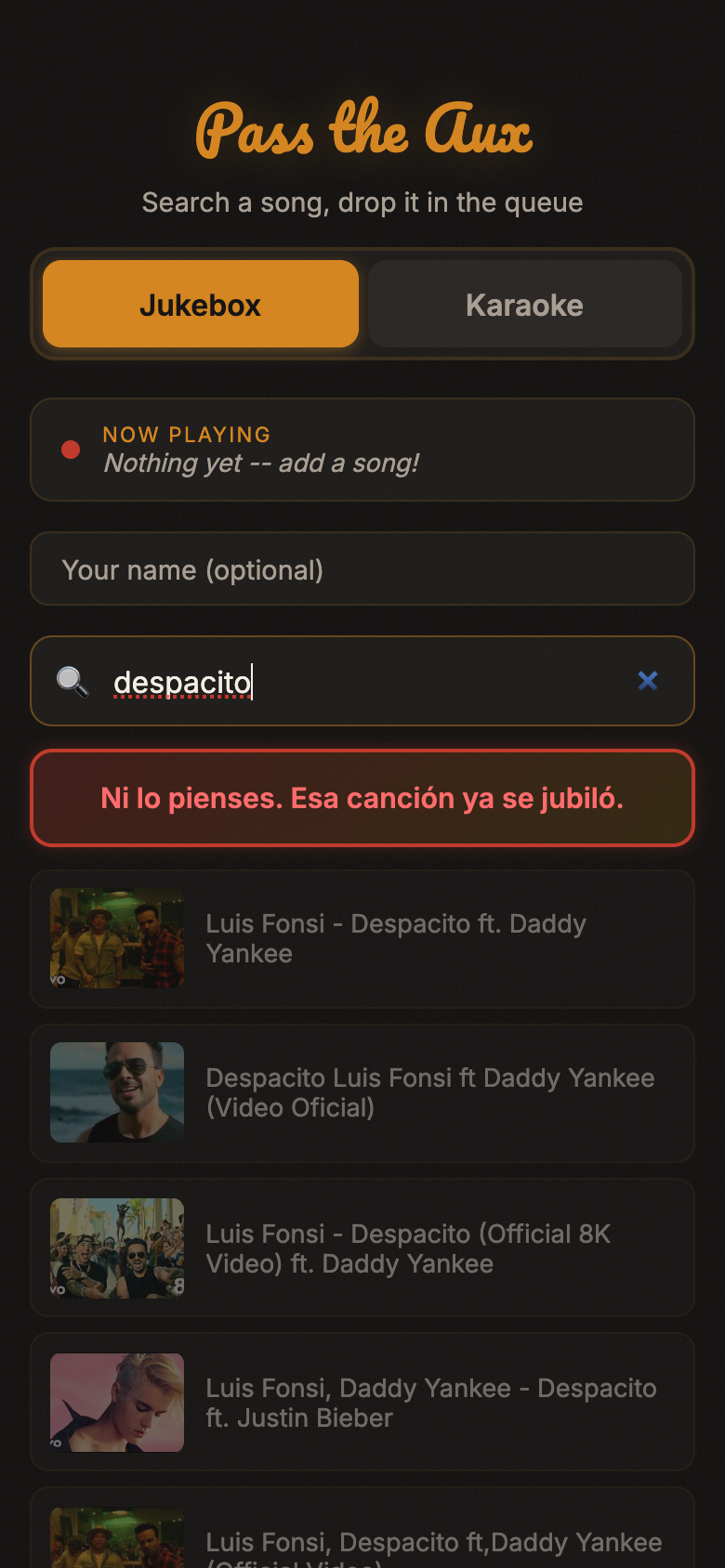
It only blocks the Luis Fonsi version specifically. Other songs with “despacito” in the title are fine.
I also added a warning for Jenni Rivera. My family loves her but my partner doesn’t. When you search for her, a pulsing red banner appears: “Cuidado: agregar canciones de la Jenni puede resultar en que te quiten el aux” (Warning: adding Jenni songs may result in the aux cord being taken away). You can still add them though. It’s just a heads up.
Host Controls
I needed a way to skip songs or clear the queue without giving everyone those powers. Claude Code set up a special URL, basically a secret link that only I have bookmarked. When I open the app through that link, I see a “Skip” button and a “Clear All” button that regular guests never see.
Fallback Playlist
I already had a playlist on Amazon Music with 38 songs. Claude Code pointed me to a free tool called TuneMyMusic that transferred it to YouTube. Then it built those songs directly into the TV page as a shuffled fallback. The party always has music.

Playing in Two Places
I wanted music inside on the TV and outside on a Bluetooth speaker. When the first device starts playing a video, it saves the exact time it started. When a second device joins, it figures out how far into the song it should be and jumps ahead to match. They’re not perfectly in sync, but when one’s inside and one’s outside, you’d never notice.
How I Built It
The whole thing happened in a single Claude Code session. The conversation just kept going:
- Wrong start. I originally asked for a Python server, but my web hosting doesn’t support that. Claude Code switched to a different approach without skipping a beat.
- Got the basics working: search, queue, video player. Tested it on my computer.
- Tried it on the TV. The Fire Stick browser wouldn’t play video automatically. Browsers do this on purpose to prevent websites from blasting audio at you. Fixed it with a simple “tap to start” screen.
- Kept adding features. Every time I thought of something (“what about karaoke?”, “can we block Despacito?”), I just asked and it got added.
- Ran into a limit. YouTube only lets you search 100 times per day for free. That’s not enough for a party. Fixed it by saving results so the same search doesn’t count twice, and by adding a second account for backup.
When things broke (and they did break a few times) I just described what I saw on screen and Claude Code figured out what went wrong. I never once opened the code to look at it.
What It Cost
| What | Cost |
|---|---|
| Cloudflare Worker (the cloud service) | Free |
| Cloudflare KV (stores the queue) | Free |
| YouTube search | Free |
| Web hosting | Already had it |
| Domain | Already had it |
| Total | $0 |
What I Learned
You don’t need an app. Guests don’t download anything. They scan a QR code and they’re in. A simple website is perfect for something like this.
Free services have limits. YouTube’s free search tier only allows about 100 searches per day. We stretched it by saving results so duplicate searches are instant, but it’s something to know about.
AI handles things I never could. Setting up cloud services, managing a song queue, syncing playback across devices: I wouldn’t even know where to start with any of that. I just described what I wanted and it worked.
What’s Next
- Moving it to its own domain
- Photo slideshow mode (the original idea before the jukebox took over)
- Song limits per person so nobody floods the queue
- Maybe turning it into something other people can use for their parties
Tools I Used
- Claude Code: built the entire app through conversation
- Cloudflare Workers: free cloud service that powers the backend (the behind-the-scenes logic)
- YouTube Data API: lets the app search YouTube for videos
- TuneMyMusic: transferred my Amazon Music playlist to YouTube
- Spaceship: web hosting
Some links on this page are affiliate links. I only recommend tools I actually use.