I Built a Security Monitor for My Own Servers, Because I Kept Forgetting to Check
After I got my Minecraft server panel running, I settled into a weird habit. Every couple of weeks I’d SSH into the server (that’s a secure remote terminal for running commands on a computer you don’t have physically in front of you) and run through the same mental checklist.
Is the firewall still on? Did I remember to lock the main admin account’s password after that one late-night change? Did the automatic security-update system stop installing patches after the last kernel update? Is there a new port listening that I don’t remember opening?
Every time the answer was probably fine, but I wasn’t sure without looking. And “probably fine” is how servers get hacked.
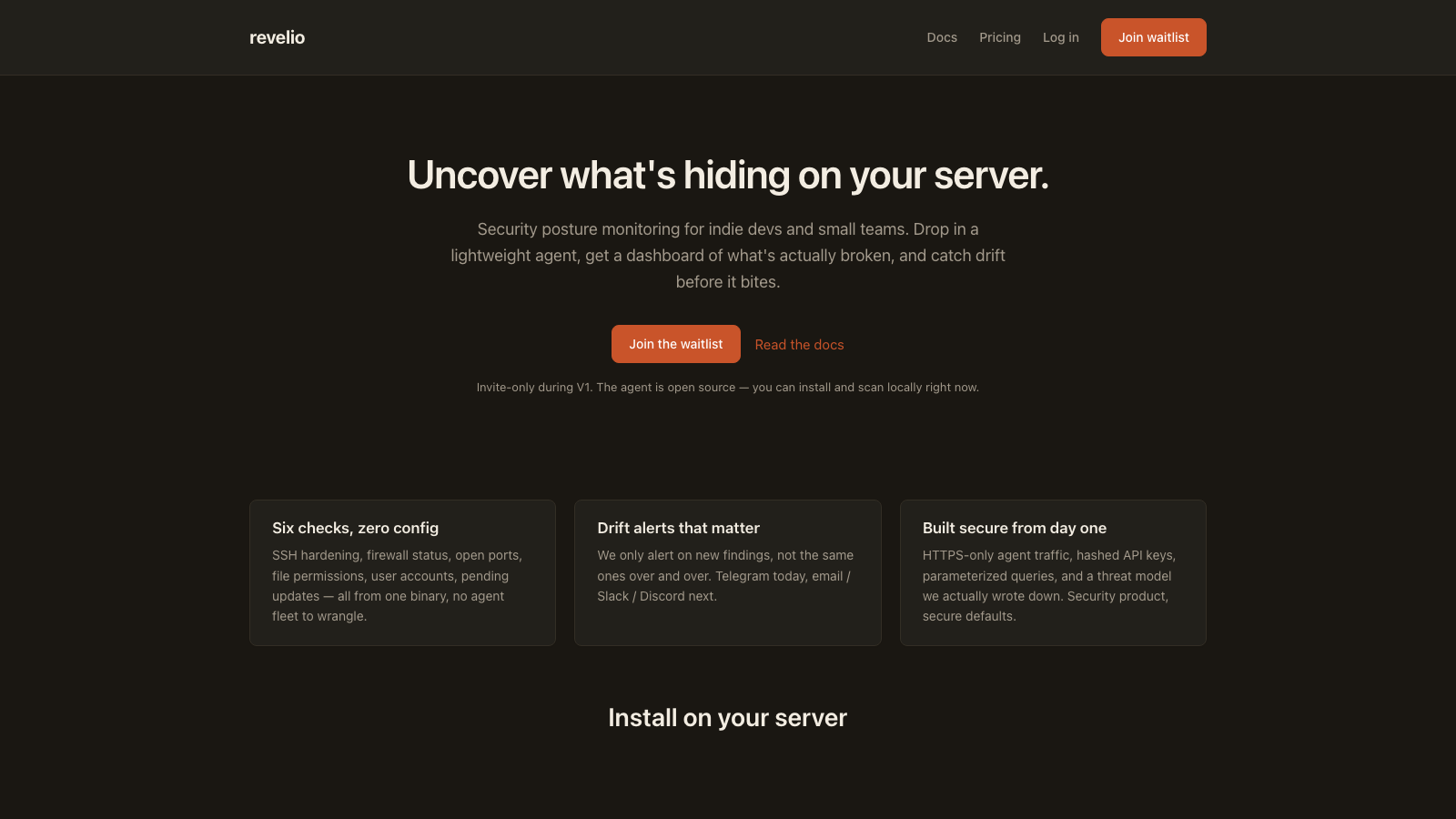
So I built a product that does the checking for me. It’s called Revelio: a lightweight agent that runs on any Linux server, checks the stuff I was checking by hand, and sends me a Telegram ping when something changes.
And once I had it working for my own box, I figured: other indie devs have this same problem. So I made it a real product.
What I Built
Four connected pieces that work together.
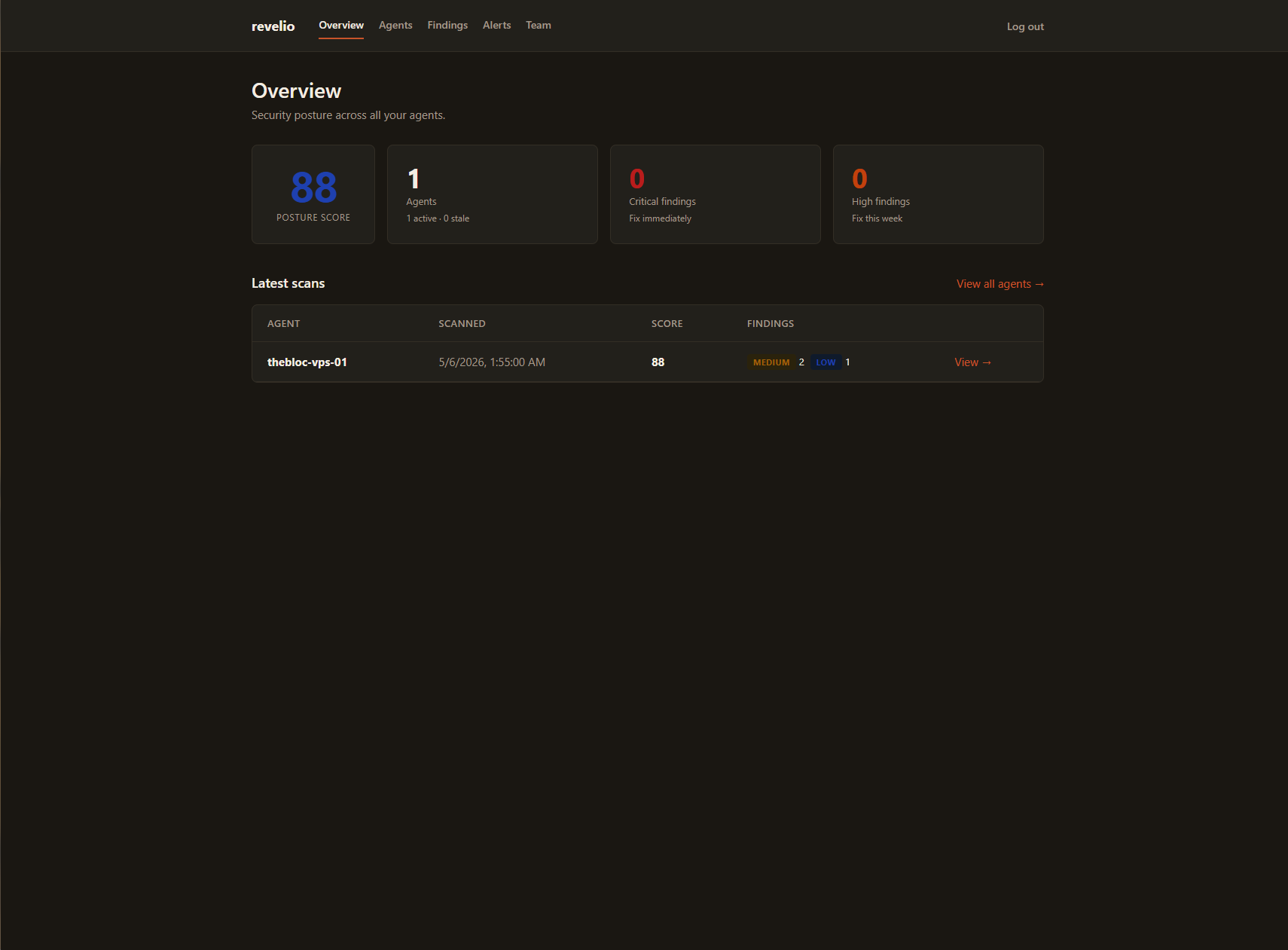
- The agent: a tiny program that runs on each Linux server you want monitored. It runs once an hour automatically and takes about two seconds.
- The dashboard: a website where you see everything the agent found, across all your servers, at a glance.
- The alerter: when something new breaks (a firewall goes down, a password auth setting flips back on), you get a Telegram message. No email spam, no “we noticed activity” garbage.
- The install script: one command to install. Copy, paste, done. The download is automatically checked for tampering before it runs.
The agent checks six categories:
- SSH hardening: is password login off? Is root locked out? Any weird config?
- Firewall: is it actually on? Is the default “block everything we didn’t allow”?
- Open ports: what’s actually listening on the internet? Anything surprising?
- File permissions: are the sensitive files (like password databases) locked down? Any programs sitting there with elevated privileges that shouldn’t have them?
- Users: any accounts that can log in that shouldn’t be able to? Is the root account locked? (Root is the all-powerful admin account on Linux. Its password should be disabled entirely, with admin access routed through specific trusted accounts instead.)
- Packages: any pending security updates? Are automatic updates configured?
None of these are exotic. They’re the same things every hardening checklist for a new server tells you to do. The problem is you do them once on day one and then drift for months.
Why “Revelio”
The name is from a Harry Potter spell, Revelio, that makes hidden things visible. That’s the job. The stuff you forgot about on your server? Surfaced. The misconfig that crept in six weeks ago? Shown.
The tagline is “Uncover what’s hiding on your server.”
How I Built It
This took meaningfully longer than one session. We’re talking a couple of weeks of evening work. Claude Code (the AI coding assistant I use) did most of the typing, I made the decisions.
Four repositories, four roles
I split the product into four separate codebases, because each piece has a different job and different constraints:
revelio-agent: the program that actually runs on the customer’s server. Written in Go because I wanted a single file that works on any Linux box without having to install a bunch of dependencies. Go compiles to one standalone binary. You download it, you run it, done.revelio-api: the backend that receives the scans. Runs on Cloudflare Workers, which is a way to host code that costs pennies a month and automatically runs close to wherever the customer is.revelio-web: the dashboard website. Built with Astro (a website framework), also hosted on Cloudflare Workers.revelio-install: a tiny website that serves the one-line install script atget.revelio.watch.
The agent is open source
This was the interesting call. Three of the four pieces are closed source. The agent isn’t. It’s public on GitHub with an MIT license, meaning anyone can read the source, modify it, or build it themselves for free.
Why give away the thing you’re selling? A few reasons:
- The agent runs as root on your server. As a customer, I wouldn’t run a program with that much access from a stranger without being able to read what it does. Making it open source is a trust feature, not a giveaway.
- The install flow needs it. My one-line installer fetches the latest release from GitHub, and GitHub’s public download API doesn’t work on private repos without authentication, which would break the whole point of a clean install.
- The intellectual property isn’t in the agent. The agent is about 500 lines of “parse this Linux command’s output, flag these patterns.” The actual product (the dashboard, the alerts, the account system, the billing) is all private.
Everything sends through Cloudflare
I’m on Cloudflare’s free tier for nearly everything: the website, the API, the database (called D1, basically SQLite running on Cloudflare’s edge), and the install host. My total infrastructure bill for Revelio is a few dollars a month, and that’s mostly for the domain name.
The agent talks to the API over HTTPS only. The code literally refuses to accept an insecure endpoint. API keys (the password-like strings each agent uses to prove who it is) are stored as one-way scrambled fingerprints, not in readable form. Even if someone stole the whole database, they couldn’t impersonate a customer’s agent.
Alerts that aren’t noise
A security monitor that pings you every hour with “here’s the same stuff you already knew about” would be unusable. So Revelio only alerts on new findings: the first time a problem appears. If the problem persists, you don’t get a second ping until it resolves and comes back.
This is called drift detection, and it’s the single most important behavior of the whole product.
I ran my own servers through it
Before building the product I hand-audited the rented Linux machine running my Minecraft server. The agent, once I had it working, caught everything I’d caught by hand, plus one thing I’d missed (an extra listening port from a tool I’d forgotten about). That one moment was when I knew this was worth shipping.
The Launch: Invite-Only With a Waitlist
Revelio is invite-only while I shake it down. The landing page has a waitlist form. Drop your email, I’ll reach out when I open a seat.
Why invite-only? Because I don’t want to find out a billing edge case by having fifty strangers hit it at once. Small batches, real feedback, then open it up.
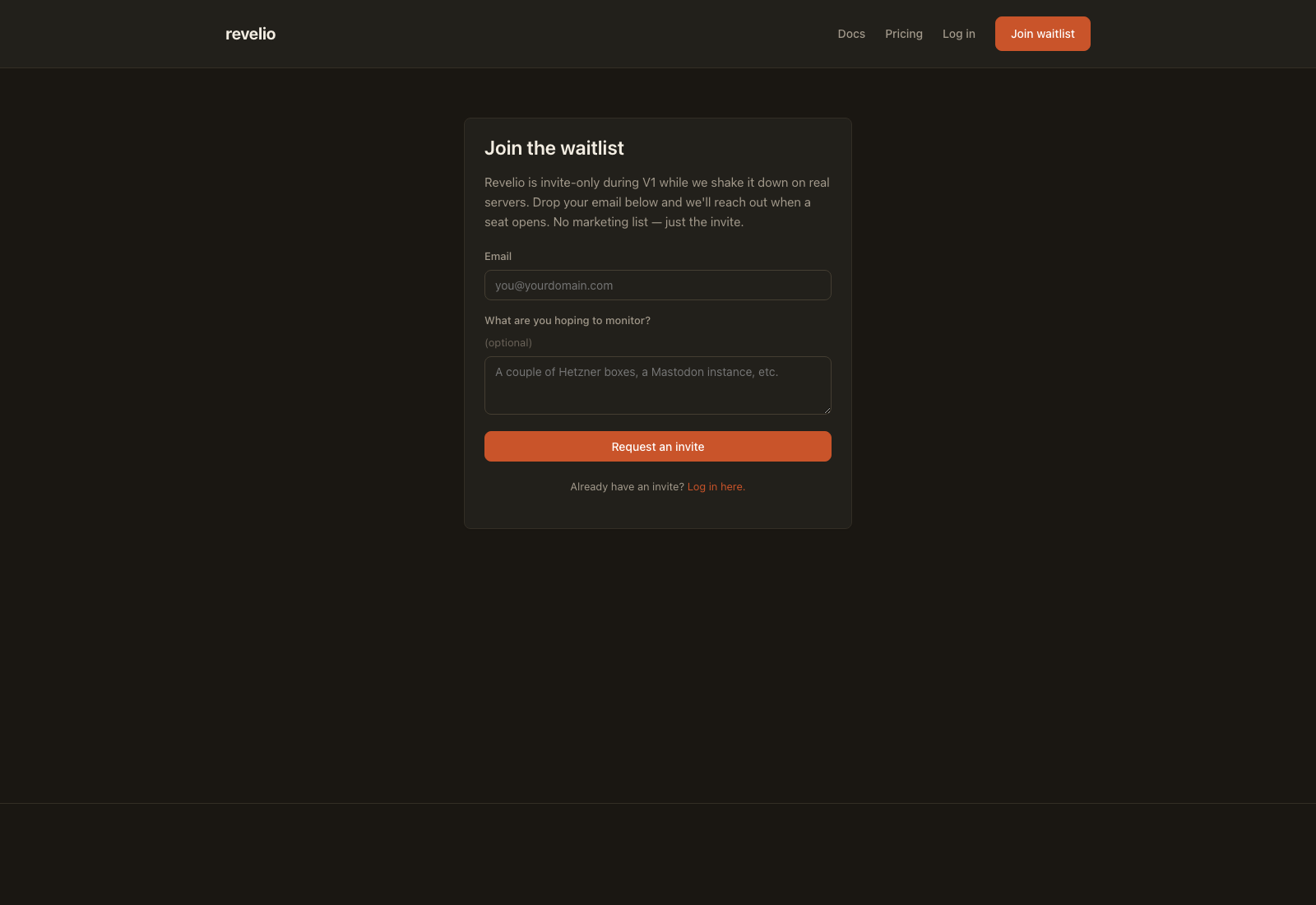
The agent is open source either way. If you don’t want to wait, you can clone the repo, build it yourself, and run revelio scan on your own server for free. You just won’t have the dashboard or alerts without an account.
A Second Server, Just for Backup
One thing I learned from watching the Minecraft server community panic every time a hosting provider has an outage: single-vendor dependency is a risk.
All four repositories are hosted on GitHub. That’s fine, until it isn’t. If GitHub ever suspends my account or has a multi-day outage, I don’t want to be locked out of my own code.
So I rented a second cheap server (from IONOS, about $2 a month) and set it up as a git mirror: a cold-standby copy of every repository. Every time I push to GitHub, it automatically also pushes to this backup server. If something goes wrong at GitHub, I can switch over in an hour.
I deliberately kept this on a separate server from my Minecraft box, so a crash or reboot over there never touches the code backup.
What It Cost
| Item | Monthly Cost |
|---|---|
| Cloudflare (web, API, database, install host) | $0 (free tier) |
| Domain (revelio.watch) via Spaceship | ~$2 |
| Git backup server (IONOS) | ~$2 |
| GitHub (public agent repo, private others) | $0 |
| Total | ~$4/month |
The only real “cost” was time. Plus the Claude Code subscription I already pay for.
Teams, Not Just Solo Users
After the first real customers signed up, the shape of the product started to change. Nobody monitors servers alone. They have a co-founder, a devops friend, a security consultant they loop in. So I built teams.
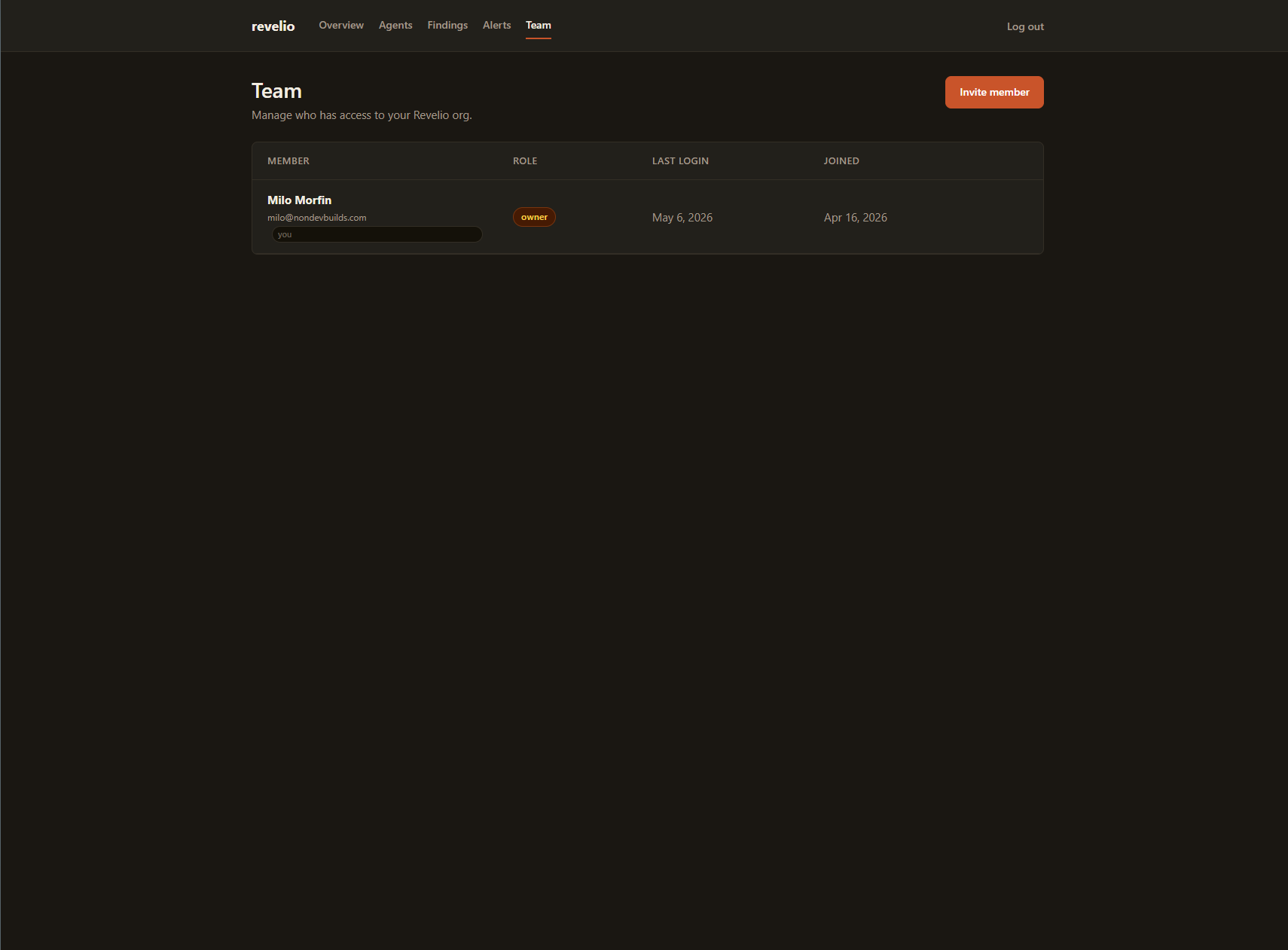
Each org (customer account) can now have multiple users, each with a role:
- Owner: the buck stops here. One per org. Can transfer ownership to someone else (and gets demoted to admin in the process).
- Admin: can invite, remove, and manage teammates. Can’t touch the owner. Can’t remove other admins.
- Viewer: read-only. Sees the dashboard, can’t change anything.
The rules aren’t arbitrary. They stop the common disaster where an admin fires the owner before transferring the keys, or where two people both claim “owner” and the billing gets confused.
I also have a separate concept (platform admins) for me and any future support person. Platform admins don’t belong to any customer org; they just have keys to the whole building for support reasons. Keeping “customer admin” and “platform admin” as two separate ideas turned out to matter a lot.
The one-owner-per-org rule is enforced at the database level, not just in the UI. A bug or a weird race condition literally can’t produce two owners. The database will reject the write. Similarly, only one platform owner can exist across the entire product. These are “partial unique indexes,” which are a database thing that basically says “only one row in this table can match this specific condition.”
Small thing. Important thing.
What I Learned
- Splitting a product into separate codebases pays off early. Keeping the agent separate meant I could make just the agent open source without having to carve anything out. The private stuff stayed private.
- “Curl pipe bash” installs are fine if you do the work. The one-line installer gets a lot of hate, but if your script verifies a SHA256 checksum against a trusted release (which mine does, and refuses to install on mismatch), it’s no less safe than downloading a binary by hand.
- Security products need to be secure, visibly. Every claim I make on the landing page is something I can point at the code for. No “GPG-signed” fluff if I’m not actually signing things. No “zero-trust” buzzwords. The trust is earned by being boring and correct.
- Invite-only with a waitlist is underrated. It buys me the permission to fix things in public without someone’s production alerts going dark. Every real SaaS I admire started this way.
- Permissions have to live at every layer. The website can hide a “Remove Member” button from a viewer, but if the backend doesn’t also refuse the request, you’ve got nothing. I built every rule in two places: the UI and the server. A non-developer writing software this way is only safe if they’re paranoid about this by default.
- Database-level constraints beat application-level checks. “Only one owner per org” is the kind of rule that, if you enforce it only in code, will eventually be broken by a weird edge case. Enforcing it in the database means it can’t be broken. The database will reject the write. Some rules deserve this level of paranoia.
Suspending an Org Without Deleting Anything
Customers churn. Customers stop paying. Customers occasionally need to be paused for abuse or a security review. The wrong answer is “delete the data and force them to start over.” The right answer is a reversible off switch.
Org deactivation now lives at the platform-admin level. Flip the switch and:
- Every member of that org loses dashboard access immediately. Their next page request gets a 403 instead of the dashboard.
- Their agents stop being able to submit scans. The API rejects the next agent request with the same 403.
- Nothing is deleted. Findings, history, agents, users: all preserved.
- Flip it back on and everything resumes.
The destructive thing about destructive operations is when they’re hard to reverse. This one isn’t. A row in the database flips from active to deactivated, gets a timestamp, and that’s the entire change. Reactivation clears the timestamp.
I followed the same two-step confirm pattern I built for “remove member” and “transfer ownership”: the destructive button leads to a separate page that explains what’s about to happen, then a confirm. Single-button destruction is the wrong UX for anything you can’t undo by accident.
A useful side effect: as the platform owner, I don’t get locked out of an org I deactivated. Platform-only accounts (no org_id) are explicitly exempt from the deactivation check, so I can still log in, look at the org’s data, and reactivate them without asking anyone for help.
End-to-End Smoke Test
Before opening the waitlist, I walked the full pipeline: signup → org → agent registered → scan submitted → critical finding stored → Telegram alert fired. The first five legs were already proven by the test org I’d been running for weeks. The sixth (alert delivery) had never actually fired in production because none of the test scans had ever produced a critical or high finding.
So I synthesized one. Inserted a temporary agent, submitted a scan with a single critical finding via curl, watched the Telegram bot ping land. Cleaned up after.
The pipeline works. I would have been embarrassed to find out it didn’t after a customer’s server got compromised.
Running It on My Own Server (and What That Surfaced)
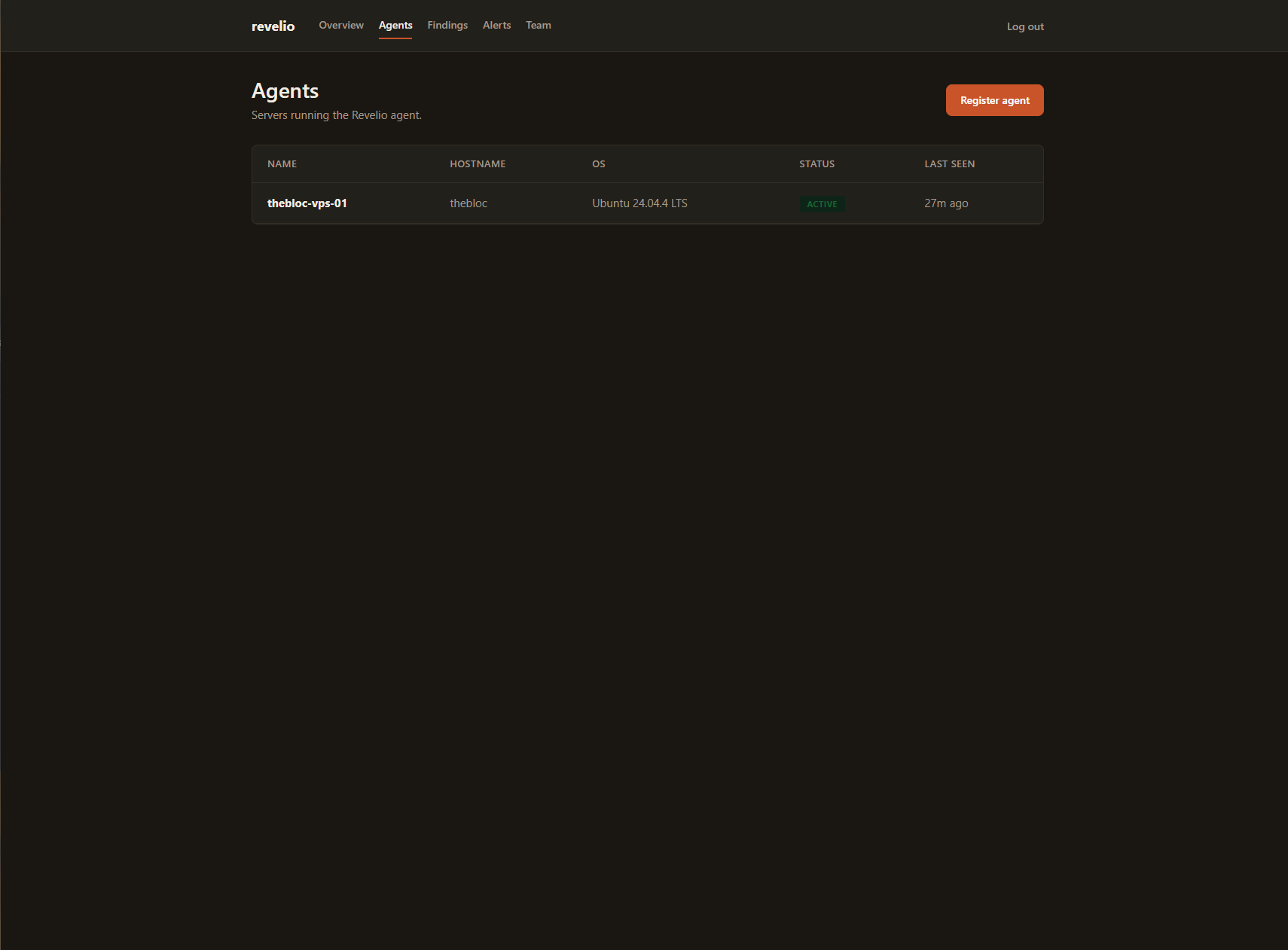
The day after the smoke test I installed v0.1.0 on the Minecraft server it was originally meant to babysit. That’s where the polish problems showed up.
A finding called “unknown listening port: 8100”: that’s BlueMap, the live world map. I knew about it. Revelio didn’t. Another finding called my SSH config “low severity” because PermitRootLogin wasn’t the literal string no. The actual setting was without-password (which is the recommended hardened setting, key-only login), but the check was doing dumb string matching and didn’t know that. A Linux kernel-managed directory called /dev/mqueue was being flagged as world-writable. It’s supposed to be world-writable. That’s how the kernel uses it.
These were the kind of findings that train a customer to stop reading the dashboard. The fix wasn’t to write more rules; it was to be more careful about what counts as a finding in the first place.
So I cut a v0.2.0 of the agent that:
- Knows BlueMap (and a list of other normal services). Adds a separate “this should be localhost-only” rule for sensitive ports (RCON, databases, caches, the Caddy admin port) that’s stricter than the “unknown port” rule.
- Recognizes the three hardened forms of
PermitRootLogin(without-password,prohibit-password,forced-commands-only) as a pass, not a finding. - Excludes kernel- and distro-managed paths (
/dev/mqueue,/var/crash, mail/print spool dirs) from the world-writable scan.
While I was in there, I added six new checks: pending-reboot detection, per-mountpoint disk usage, an SSH brute-force-rate read from the auth log, a cron inventory (the drift detector flags any new cron entry as a NEW finding, which is exactly the textbook persistence signal), an opt-in TLS expiry check, and an opt-in systemd unit health check.
Then I upgraded the Minecraft server from v0.1.0 to v0.2.0. Re-ran the install script (the same one any customer would run) and the binary swapped in place, config left alone. Three findings that used to be noise disappeared. Twenty checks now report pass. And one new finding lit up: a kernel security update had been waiting to be applied. The patches were installed but the running kernel was still the old one, because I’d never rebooted after the update. The kind of thing I’d have noticed in two months when something started behaving weirdly. Caught in two seconds.
That’s the test. Not “does my product run on my server.” Does my product surface real things on my server that I would have missed? Yes. One real finding on the first scan after the upgrade.
While the agent work was happening I also finished a database cleanup on the API side that had been pending for a few weeks: dropping three columns from the organizations table that were redundant after the team-member rewrite. Not user-facing. The kind of follow-through that doesn’t ship a feature but keeps the schema honest as the product evolves.
The cleanup taught me a lesson the database engine had been quietly waiting to deliver. SQLite refuses to drop a column that has a uniqueness constraint, so the migration had to recreate the whole table. I wrote what I thought was the textbook recipe: make a new table, copy the rows over, drop the old, rename. What I forgot is that other tables in the database had references back to the original. Those references had a rule attached: “if the parent row goes away, delete the children.” Recreating the parent table briefly looked, to the database, exactly like deleting the parent, and the rule fired. By the time I noticed, an entire chain of dependent records had been quietly cascade-deleted: the agent registration, the scans it had submitted, the findings.
Recovery took ten minutes because I’d taken a snapshot before running the migration, pure muscle memory, not because I expected anything to go wrong. Without that snapshot it would have been an afternoon of pain. The actual lesson: when you’re rearranging a table that other tables point at, turn foreign-key enforcement off for the duration of the rearrangement, or just accept the dead column and move on. I’m putting that one in the permanent file.
Walking the High Findings to Zero
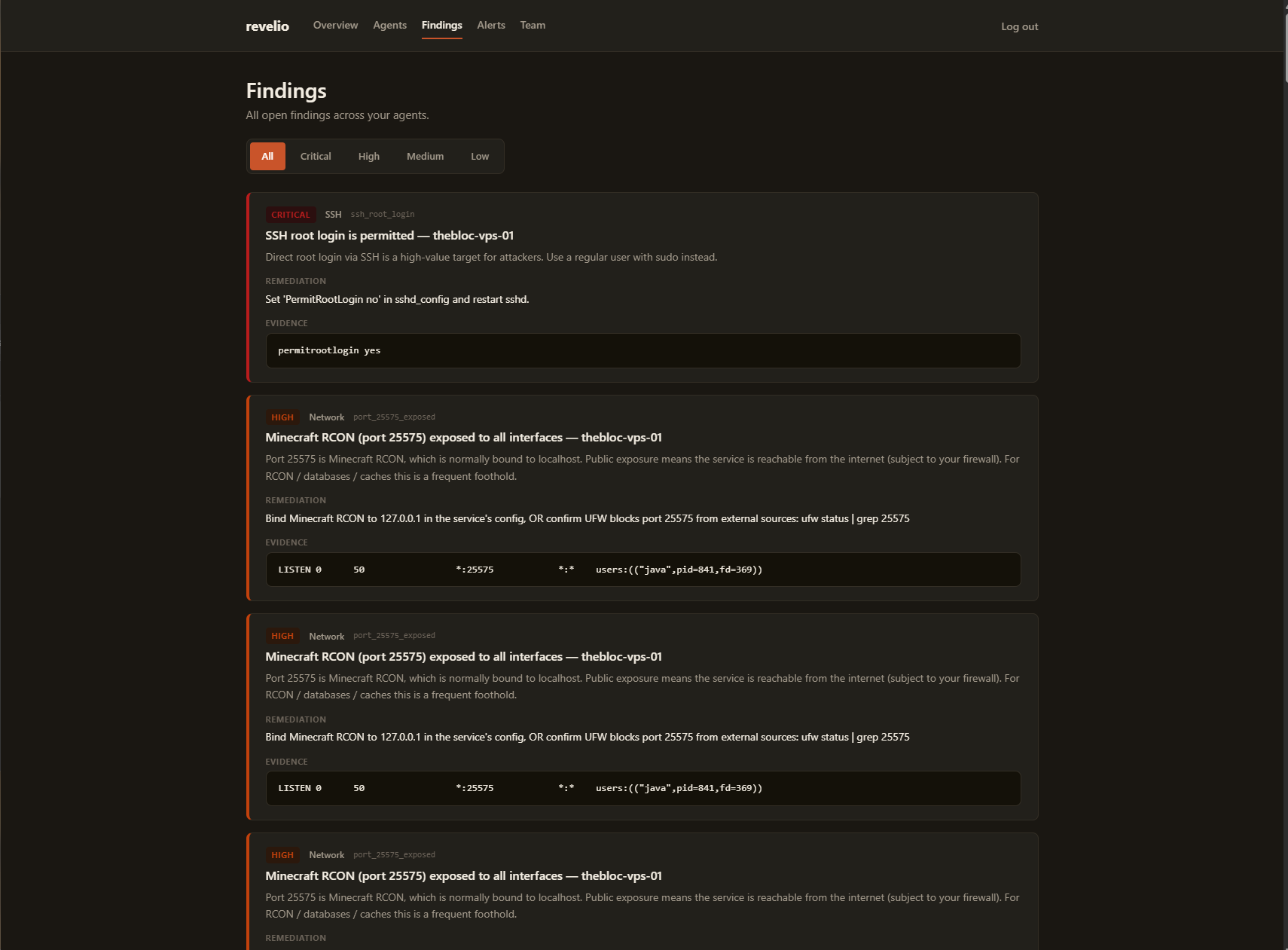
After the kernel reboot the dashboard had one high finding left: “Minecraft RCON (port 25575) exposed to all interfaces.” The agent flagged it because the Java process was listening on 0.0.0.0:25575 instead of 127.0.0.1:25575, meaning, in theory, reachable from any network. First instinct: bind it to localhost. Vanilla Minecraft has no bind setting for RCON. rcon.ip=127.0.0.1 is silently ignored, the server log confirms it.
Second instinct: check whether the exposure is real. UFW had a DENY IN Anywhere rule for 25575 from months ago. The port was bound to every interface, but the kernel was dropping every packet from the public internet. The “exposure” was theoretical, not real, and the agent was wrong to call it high.
The fix was in the agent, not on the server. I taught Revelio to read UFW’s rules: if a sensitive port is bound to all interfaces but the firewall denies it from Anywhere, the finding becomes a medium “defense-in-depth gap” instead of a high “this is publicly exposed.” Real exposures (a Redis or Postgres on 0.0.0.0 with no firewall) still trip the high. v0.3.0 shipped, the Bloc re-scanned, zero high findings. The full reasoning (what bind addresses are, how the agent reconciles them with UFW, and the four-step fix order) is now on the docs page at revelio.watch/docs/checks, so future customers don’t have to read this build log to understand a finding.
What’s Next
Three weeks of platform-admin and team work shipped to production. Invite-based signup is live. The dashboard works. Agents check in. Alerts fire. The product is, for the first time, complete enough to put a real customer on it. And I’m running it on my own server.
Short list:
- Open the waitlist to the first batch of signups.
- Add more alert channels: email and Discord, probably.
- More checks. The long tail (Docker permissions, container escapes, exposed Redis instances) is endless.
- Reboot the Minecraft server. That finding the agent just gave me isn’t going to fix itself.
If you run a server or two and want to stop doing this audit by hand, join the waitlist. The agent’s free to poke at on GitHub in the meantime.